
GinSC
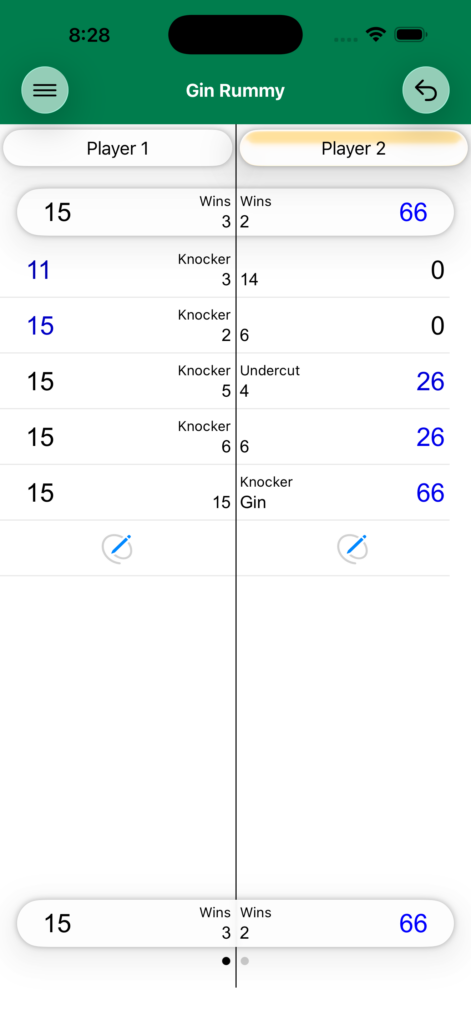
Using the Application
The Menu button gives you access to:
- New Game — Start a fresh game
- Option Sections — Configure game options
- Game History — Review completed games
- Subscription — Manage your subscription
Starting
Select the first dealer — Player 1 or Player 2. Names can be changed by long pressing a name and tapping Rename.
Scoring a Hand
Tap the Knock button under the player who knocked or went Gin. Enter the deadwood points for each player.
Ending a Match
Swipe left to finish the match. This applies all bonuses (gin bonus, undercut bonus, game bonus, line bonus) and starts a new match.
Options
Next Dealer — Choose how the deal rotates:
- Loser — Loser of the hand deals next
- Winner — Winner of the hand deals next
- Alternate — Deal alternates each hand
Next Dealer On Tie — Controls who deals after a tie hand:
- Knocker, Not Knocker, Same Dealer, or Opposite Dealer
Undercut On Tie — Whether an undercut is awarded when scores are equal.
Bonus point values (gin bonus, undercut bonus, game bonus, line bonus) are fully customizable.
Privacy Policy
This app collects no user data of any kind. All data, such as player names, scores, and game history, are recorded on your devices and only your devices. This data may be synced across your own devices via iCloud.